


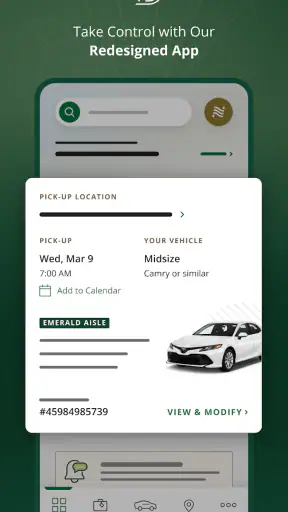
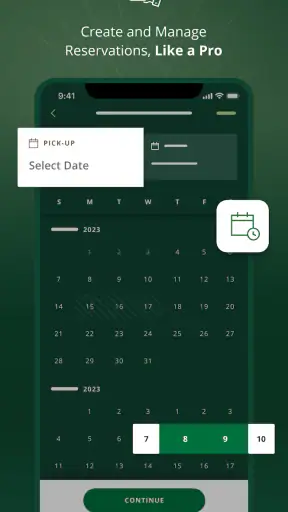
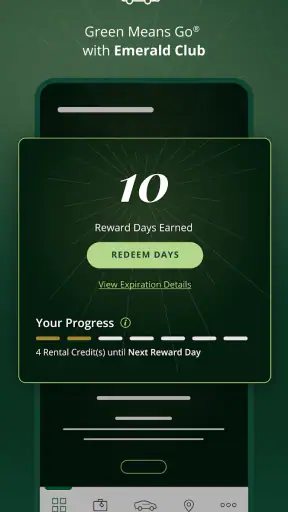
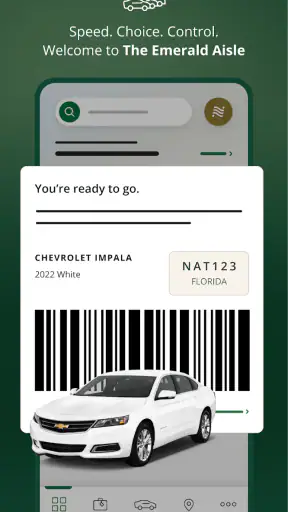
Renting a car is often less stressful when the important steps happen on a phone, but that convenience depends heavily on a reliable connection. I spent time looking at National Car Rental as a travel and local app, focusing not only on what it helps you do, but also on how it behaves when you are moving through airports, unfamiliar streets, parking areas, and places where mobile service is inconsistent. My overall impression is that it is most useful for people who already prefer National for their rental and want a quicker way to manage the practical side of the trip.
National Car Rental is a free app from EAN Services, LLC, aimed at making car rental more direct and manageable from a mobile device. It is available to an Everyone audience, runs on Android versions starting with 8.0, and its current version is 6.15.0.9354. The app has built a sizeable audience, with more than a million installs, an average rating of 4.4 from roughly twelve thousand ratings, and about 3.8 thousand written reviews. Those figures suggest a mature service that many travelers find useful, while still leaving room for the occasional frustrating experience.
Where the app helps most when you are connected
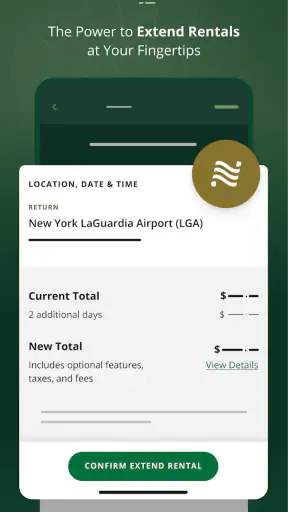
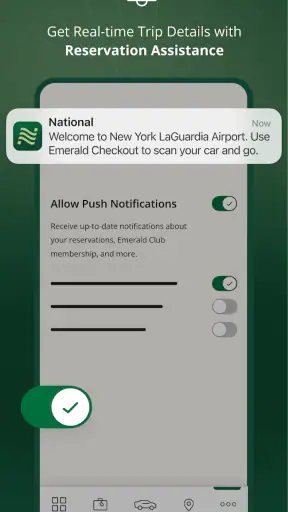
The strongest part of a car-rental app is not entertainment or browsing; it is reducing the number of small decisions you have to make while traveling. A rental journey can involve checking a reservation, confirming the correct pickup location, dealing with a changed schedule, and finding your way through a busy airport. National’s app gives those tasks a mobile home instead of making you depend entirely on a desktop browser or a counter conversation.
That matters most during the short periods when you have a dependable connection and need information immediately. Before leaving home, I would use the app to review the rental details and make sure the selected location matches the actual travel plan. At an airport, I would want the reservation information available while moving between terminals or waiting for luggage. A phone is easier to reach than a laptop in those moments, and the app’s value comes from that reduced friction.
The connection itself shapes the experience. When the app needs to retrieve current reservation or location information, a weak signal can turn a simple action into a waiting exercise. This is not unique to National, but it is particularly noticeable in travel apps because the user is often already under time pressure. A slow response while standing outside a terminal feels much more serious than a slow response while browsing at home.
I recommend opening the app before leaving a strong Wi-Fi connection and checking the details you expect to need. That does not mean assuming every function will work without a network. It simply gives you a chance to notice mistakes early, rather than discovering a problem while carrying luggage or standing in a pickup area. Screenshots or written notes of essential details can also be sensible preparation, especially for travelers who know they will pass through areas with unreliable coverage.
One useful habit is to separate planning from last-minute checking. Planning is best done while you have time to compare the pickup location, dates, and vehicle needs. Last-minute checking is best limited to confirming that nothing has changed. Trying to make every decision from a moving car, an airport queue, or a crowded curb creates unnecessary dependence on both the app and the network.
Using it during a realistic travel day
Imagine arriving in a new city after a delayed flight. You leave the aircraft, reconnect to mobile service, and open the app while walking toward baggage claim. The immediate benefit is having the rental information in the same place as the rest of your phone-based travel routine. You can orient yourself around the reservation instead of searching through old email messages or trying to remember which rental company you selected.
Now imagine the opposite: you are underground, inside a concrete parking structure, or in a terminal corner where the signal keeps dropping. If the app must load current content at that exact moment, the experience can feel uncertain. My practical advice is to use the app as a convenient control point, not as the only record of the trip. Keep the confirmation details accessible in another form and allow a few minutes of margin before reaching the pickup desk.
This is also where National compares favorably with a general travel browser in some situations. A mobile app is usually easier to open quickly and more focused than searching through a website from a phone. On the other hand, a browser can be more comfortable for comparing several rental companies at once, reading broad travel information, or planning a complicated itinerary. National’s app makes more sense once the decision to use National has already been made.
Mobile convenience versus a larger screen
I would use the phone app for quick checks and actions while away from home, but I would not automatically choose it for every part of the rental process. A larger screen is better when I am comparing dates, reviewing several options, or coordinating a trip for multiple people. A phone is better when the task is narrow and time-sensitive.
That distinction is important because mobile convenience can be mistaken for complete trip management. The app is designed around the rental relationship, not as a replacement for every travel tool. I still prefer a map app for navigation, an airline app for flight changes, and a calendar for the overall itinerary. Keeping those roles separate makes the rental app easier to use and reduces the chance of hunting through one crowded screen for unrelated information.
The mobile context also affects how carefully you read. At home, I can examine dates, locations, and conditions without distraction. At a curbside pickup area, I am more likely to tap quickly. Before confirming anything important, I would pause and check the location and timing again. A compact interface saves time, but it can also encourage rushed decisions when the surroundings are noisy or unfamiliar.
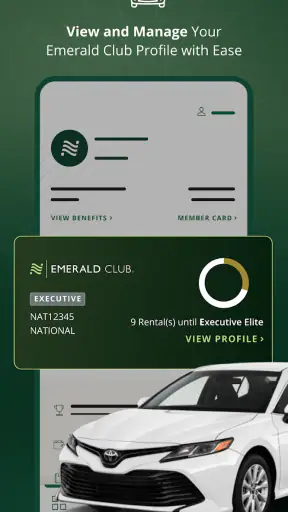
For business travelers, this focused approach can be a real advantage. Someone who rents regularly may not want a lengthy desktop process each time. The app can fit naturally into a routine of checking a reservation before a meeting, handling the rental during a short airport connection, and keeping the phone as the main travel companion. For occasional renters, the benefit is less about speed and more about having one recognizable place to return to.
What happens when connectivity fails
The most important limitation is that a connected app cannot remove every travel problem. If your phone has no service, the app may not be able to refresh information or complete an action that depends on current account or reservation details. I would not plan a rental around the assumption that a previously opened screen will always remain sufficient. Treat network access as part of the operating conditions.
A sensible recovery routine starts before the failure. While connected, review the reservation, note the pickup location, and keep the relevant confirmation information available outside the app. Charge the phone before heading to the airport, and avoid waiting until the last minute to discover that the device is nearly empty. These are ordinary travel precautions, but they matter more when the phone is being used as the main interface to the rental.
If a screen loads slowly, I would avoid repeatedly tapping the same control. Repeated attempts can create confusion about whether an action went through. Wait for the connection to recover, check for a changed state, and then try once more. If the issue concerns something important at pickup, speaking with National staff may be faster than continuing to fight a weak signal.
There is a useful difference between an app failure and a rental-location problem. The app may be unable to display current information, while the reservation itself remains intact; alternatively, the information may need attention regardless of the app. I would verify the details through the available rental support channel rather than assuming that a frozen screen means the booking has disappeared. The app is a tool for managing the rental, not proof by itself that every operational detail is unchanged.
Travelers who frequently visit rural areas, large underground garages, or international destinations should be especially cautious about this dependence. National’s app can still be helpful before entering a low-signal area, but it should not be the only preparation. This is one of the clearest cases where a paper note, saved confirmation, or second device can provide more practical resilience than another app feature.
Keeping mobile data use sensible
Using a rental app does not automatically mean heavy data consumption, but travel is when people often have less predictable connectivity and more expensive roaming conditions. I would use Wi-Fi for preparation whenever it is convenient, then reserve mobile data for necessary checks while moving. This is less about claiming a particular data footprint and more about avoiding avoidable network dependence at the worst possible time.
Before a trip, I would review the reservation and location information at home. During the journey, I would open the app only when I have a clear purpose: checking the booking, confirming where I need to go, or handling a specific rental task. Leaving any travel app open while moving between networks is rarely useful, and it can make the phone feel busier when battery life is already important.
Data-conscious use also means choosing the right tool for each job. If I need turn-by-turn directions, I would use a dedicated navigation app rather than expecting a rental app to guide the entire journey. If I need to compare several companies, I would do that research before pickup instead of repeatedly loading pages at the airport. National’s app is most efficient when it handles National-specific tasks rather than becoming a general travel browser.
Roaming travelers should prepare even more carefully. A connection that works at home may be slower or more costly abroad. I would check the rental details before departure, keep essential information accessible, and avoid relying on a live refresh for something I could have reviewed earlier. The app remains useful in this situation, but preparation determines whether it feels like a convenience or a liability.
Who will get the most from National’s app?
This app is a good match for travelers who already choose National, rent cars often, and want a mobile-first way to stay organized. It is also useful for people who dislike carrying printed paperwork or switching between email, browser tabs, and a rental counter. The free price removes a barrier to trying it, and the Everyone rating makes it broadly approachable for ordinary travelers.
It is less compelling for someone who is only comparing the entire rental market and has not decided on a provider. A comparison site or a browser may offer a wider view of competing companies and prices. Likewise, a traveler who rents once every several years may find that a saved confirmation and direct assistance are enough. Installing the app is not automatically worthwhile just because a rental is planned.
I would also be cautious about recommending it as the sole solution for travelers with poor connectivity, very limited phone storage, or a strong preference for handling everything face to face. The app can streamline the process, but it does not eliminate the need to understand the reservation or ask for help when circumstances change. People who want maximum flexibility across many rental brands may prefer a broader travel-management tool.
My connectivity verdict
National Car Rental works best when I treat it as a focused companion to a rental, not as a complete travel system. Its main strength is bringing National-related tasks into a convenient mobile setting, especially before departure and during connected moments at the airport or on the road. The experience is most comfortable when I prepare in advance and avoid making the app responsible for information I could keep elsewhere.
The network-dependent nature of travel apps is the central trade-off. With a stable connection, the phone format is quicker and easier than repeatedly searching through messages or opening a full website. With a weak connection, the same convenience can become friction. That is why my recommended workflow is simple: prepare on reliable Wi-Fi, check the details before leaving, keep essential confirmation information available separately, and use the app for targeted actions rather than constant browsing.
After using it with that mindset, I see National’s app as a practical choice for existing National customers and frequent renters. It does not replace a comparison service, a navigation app, or basic travel preparation, and it is not the right answer for someone who wants one tool covering every rental company. But if your rental is already with National and you want more control from your phone, the free app is easy to justify. Its best quality is not that it makes connectivity irrelevant; it is that, when connectivity is available, it removes several small obstacles from an otherwise complicated travel day.


